Changing your setup
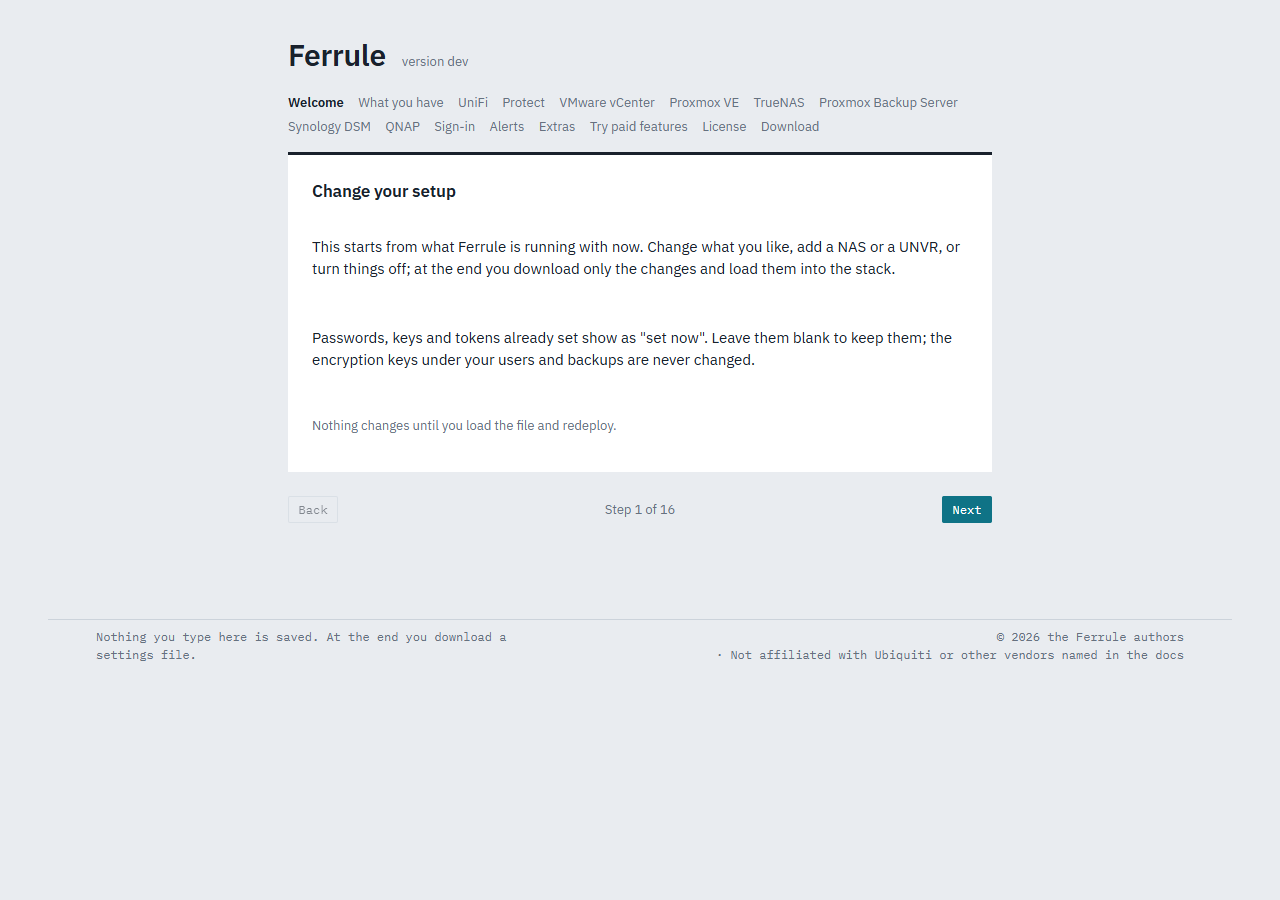
To add a NAS, move Protect to a UNVR, change where alerts go, or turn something off, run the setup wizard again. It starts from what Ferrule is running with now, and downloads only the changes.
Who can
Admins, once sign-in is on. Anyone, while sign-in is off.
1. Open it
On the dashboard, go to Settings ⚙ and click Run setup again, at the top left.
2. Change what you need
Step through the pages as in the setup wizard. Everything is filled in from the running settings.
Passwords, keys and tokens that are already set show as set now: leave blank to keep it. Ferrule never sends them back to your browser.
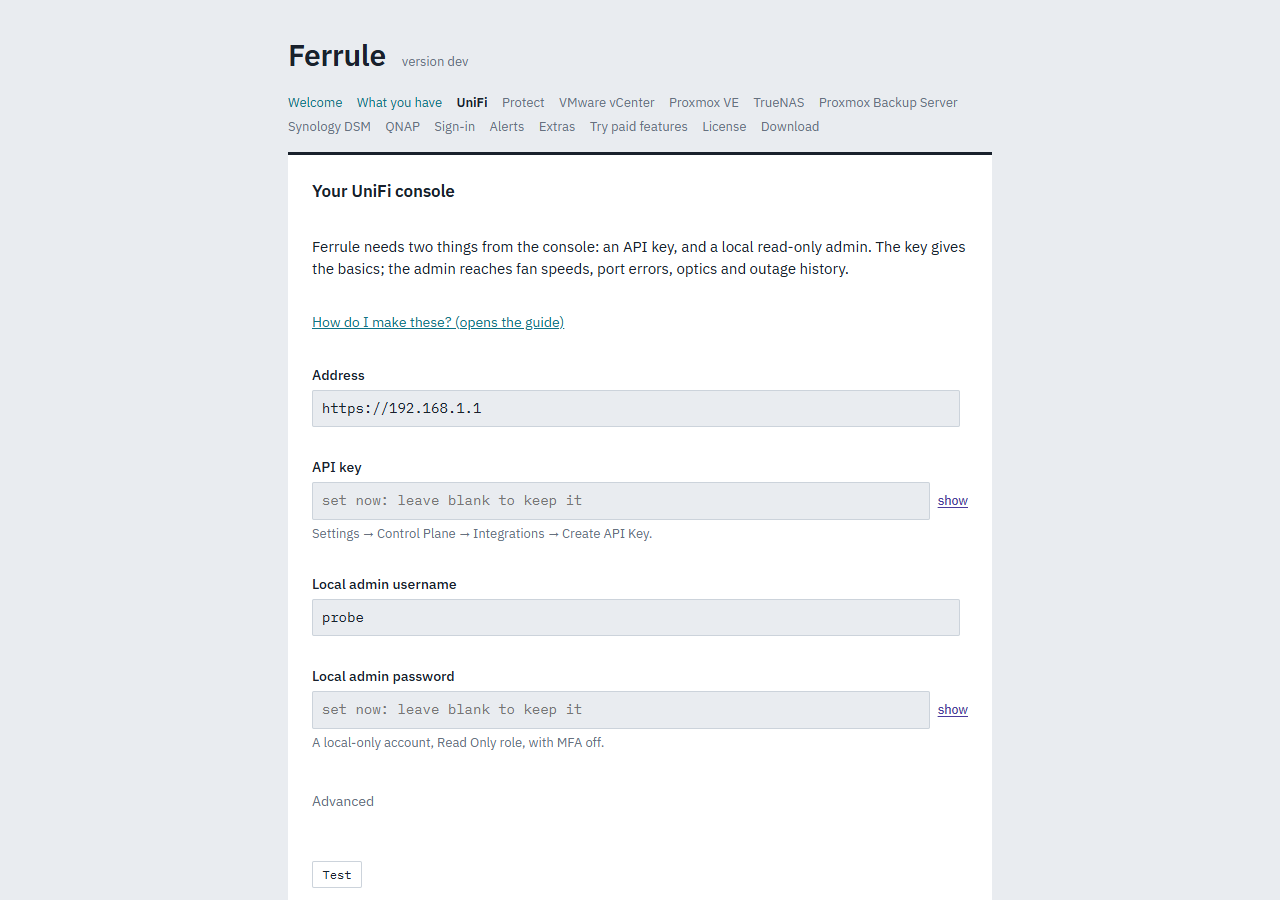
- Leave a "set now" field blank to keep the value. Type into it only to replace it.
- Test on a page whose secret you kept says it's running with the values set, and tests nothing. To test again, type the password, key or token again.
- To turn something off, untick it. A source you remove, or a channel you turn off, goes from the settings.
- The encryption keys are never changed:
SETTINGS_KEY, which protects users and settings kept in the browser, andBACKUP_KEY, which protects backups. Neither are Gotify's or the database's passwords.
3. Download the changes
The last page offers ferrule-changes.env, holding only what changed.
Something you turned off, or set back to its default, appears as a blank
line, such as NTFY_URL=, which turns it off. If nothing changed, it says
so and offers no file.
Load it into the stack:
- Open your
ferrulestack. - Under Environment variables, click Load variables from .env
file and choose
ferrule-changes.env. It adds or replaces the variables in the file, and leaves every other variable as it is. - Click Pull and redeploy.
- Open
.envin yourferrulefolder. - For each line in
ferrule-changes.env, replace the line with the same name, or add it if it isn't there. Keep every other line. - Run
docker compose up -d.
Other ways to change a setting
- Settings → Stack environment lists every variable Ferrule takes, starting from what's running, and writes the lines to paste. Use it for settings the wizard doesn't ask about (Stack environment).
- By hand: add or change the variable in the stack, then redeploy.
Every variable lists them all. Remember to
write a
$in a value as$$.
- Open the
ferrulestack and find Environment variables. - Add or change the lines. In Advanced mode you can paste several at once.
- Click Pull and redeploy.
- Open
.envin the folder where you clonedferrule-deploy. - Add or change the lines.
- Run
docker compose up -din that folder.